


I recently opened up a content hub instance and saw the ‘New Improvements’ message. I thought I wonder what the product team have been up to.
I was drawn to the 2nd item about how AI can now assist in the asset search.


Search is a massive feature for users and it’s all about the ability to find the right content quickly.
Sitecore Content Hub’s latest AI-powered Visual Search feature revolutionizes how users discover assets by allowing them to search by image, description, or even dominant colour – making content retrieval more intuitive than ever.
In this blog, I will explore what this new feature offers, its benefits, and how to get started.

What is AI-Assisted Visual Search?
Generally, searching for digital assets in a DAM (Digital Asset Management) system relies on keywords, tags, and metadata. While effective, this approach depends on accurate tagging and structured metadata, which can be time-consuming to maintain.
With AI-powered Visual Search, Sitecore Content Hub removes these limitations by leveraging machine learning to analyze and match images based on visual properties. This means you can now:
- Find images by describing them in words
- Search for assets by uploading a reference image
- Locate images with a specific color or dominant visual style
This feature eliminates the need for exhaustive manual tagging and improves the speed of asset discovery, making it easier for creative teams to locate relevant content.
How It Works: Exploring Visual Search Capabilities
You are probably thinking I already have AI tools that I can use, why bother with this. This is true and here are the 3 reasons why Content Hubs AI search can assist you:
Search by Text Description
Rather than relying on filenames or metadata, you can now describe what you’re looking for using natural language.
For example, searching for “sunset over the ocean” will retrieve images that match this concept, even if those images lack specific tags.
Search Using a Reference Image
Have an image but not sure how to describe it? Simply upload a reference image, and Content Hub will return visually similar assets. This is particularly useful when looking for variations of a specific brand image, product shot, or aesthetic.
Search by Dominant Color
Need an image that fits a particular color scheme? You can now filter assets by the most prominent colors within an image. This is ideal for designers who want assets that match their brand’s color palette.
How to Use Visual Search in Content Hub
As Content Hub is SaaS you already have the feature:
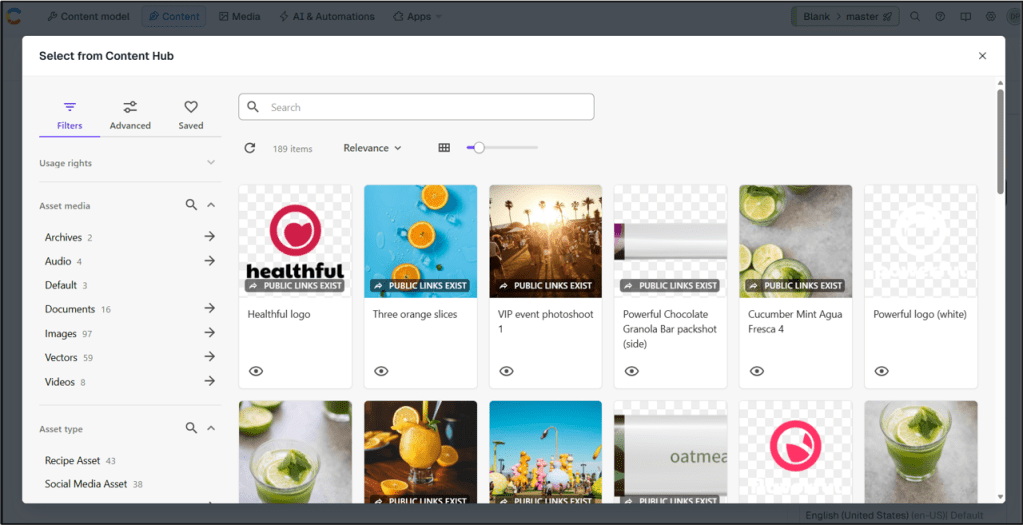
- Navigate to Content Hub’s search interface.
- Select the visual search option.
- Enter a text description, upload a reference image, or pick a color.
- Get the search results and think wow what a good feature.
Does it work?
Yes, mostly returning good results that match what I wanted. I say mostly as I used this in an environment with not many images.
So my initial tests were a bit random.
However when I changed to an environment with thousands of assets the quality was much better.
Why This Matters: Benefits of AI-Assisted Visual Search
Here’s why this update is a game-changer for Content Hub users:
- Faster Content Discovery – Find assets without needing extensive metadata or exact filenames.
- More Intuitive Searches – Use natural language and images instead of complex filters.
- Improved Productivity – Reduce time spent searching for images, allowing your team to focus on creative work.
- Seamless Integration – API support enables organizations to integrate AI-powered search into their custom workflows.
Final Thoughts
Sitecore Content Hub’s new AI-powered Visual Search marks a major step forward in simplifying asset discovery.
Whether you’re a marketer looking for campaign images, a designer seeking color-coordinated assets, or a developer integrating search functionality into a project – this feature makes finding content faster and more intuitive than ever.
As always please reach out if you have comments or are looking for a way to get more out of Content Hub


 Tim's Blog
Leave a Reply