


Sitecore Content Hub is a powerful feature that enables you to add a level of field-level security to your entity data members. It provides a solution that specifically allows you to protect the integrity of sensitive data stored. It optimises the way you verify who can access certain information within a platform, and provides you with a single point of control for all of your business-sensitive data
The Question
“Please investigate how to setup the field level security. – e.g. for certain group of users, they will have to update only 2 fields on a page, but will have read-only permission for other fields.”
The Outcome
After some investigation I found the following process to do field level security.
I have found some limitations though

- Locked fields in the schema will require Sitecore to make these secured (support ticket needed)
- The new role well need update permission to whatever entity it is updating and we remove the permission using Member Security on the User Group
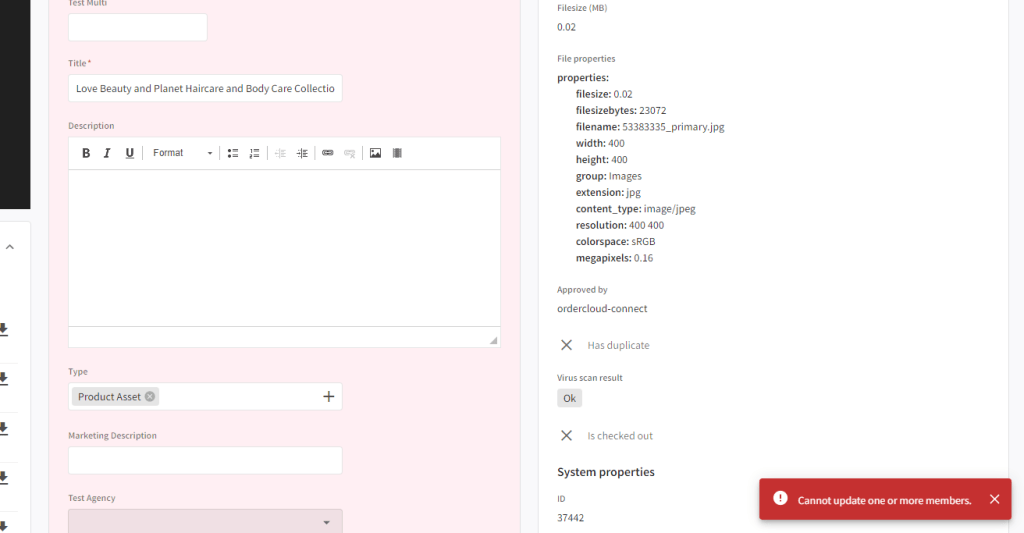
- Users can still enter info to locked fields but will receive an error message on save.
Below are the steps to do field level security
Create a new user group (ContentHubContributor)
- Add a rule for M.Asset and M.File with Read and Update


Add another rule for Portal.Page and Portal.Page condition for the page that they need to edit a property on
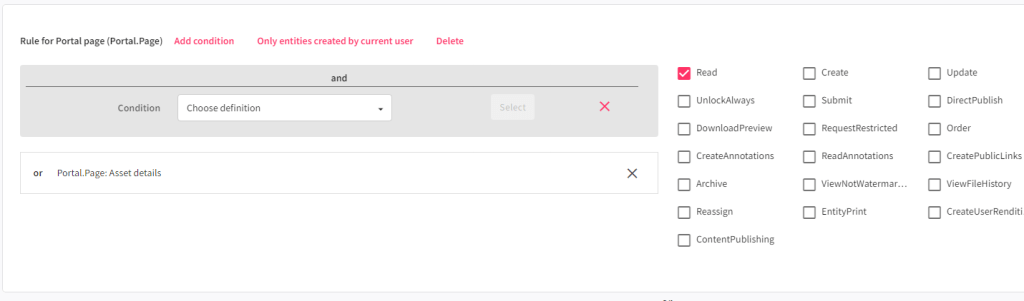
Save changes and add a new user
- Add them to the Everyone group and also the new ContentHubContributor
- In an incognito window impersonate the new user
We will use asset type as an example
You should see the asset page and also be able to open the asset detail page. Including full edit rights.

Next we need to update the schema to update the secured property on fields that cannot be updated – It might be we activate it for all fields that should not be editable by all users.
Update the schema – In this example im updating M.Asset – Marketing Description needs to have the following checked

Publish the changes when all the fields are updated and go back to your user group.
In the user group click on the Member Security tab and within the schema that you updated find the properties
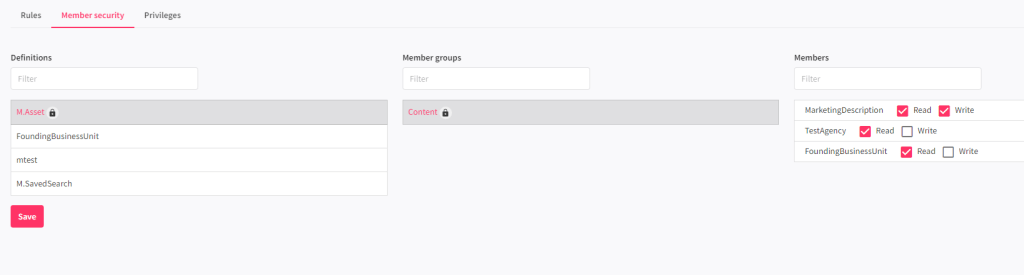
You need to explicitly remove Write from each item that the group cannot edit and also check it for ones it can edit
Save the changes
Now when you edit the asset, only the changes for the one you allowed the write permission will work
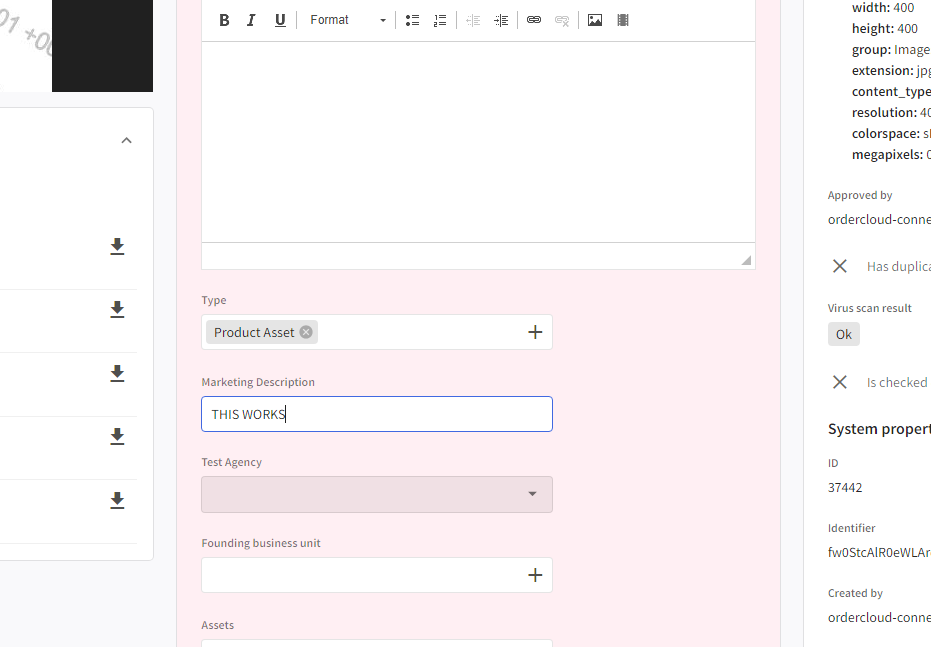
I hope this makes sense and should allow the fields to be writable only by particular user groups.
When trying to update a field that does that have the Write permission the following is shown
I hope this makes sense and is useful for anyone that needs to secure certain fields.


 Tim's Blog
Leave a Reply