


When using Content Hub there may be times when you want to change the look and feel of a component to better meet your needs.
You have 2 main options
- Update the theme your Content Hub instance is using if the changes needs to apply to all components.
- Apply the change directly to the page itself – This is the option I am going to talk through today.
This post is specific to a search component that uses the grid to output results. The CSS classes here are specific to the type of grid which is a GridContentOnTopOfImage template.

Changes are specific to your desired output. However, if for instance you wanted to increase the size of elements in the search grid this would be the process. Below is what the view looks like before the changes are made.

1. Open dev tools on your browser and Inspect a grid element. For this example we are looking for the div that contains one of the images. Is has the class – .thumbnail–content-on-top-of-image.
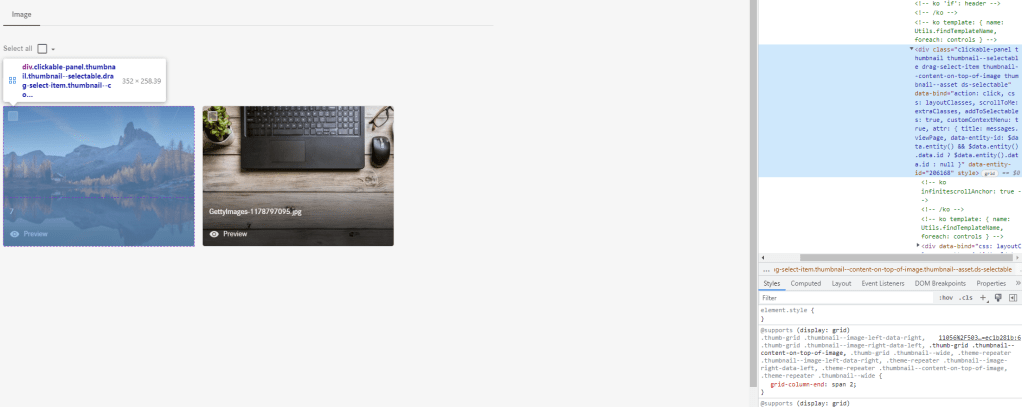
Content Hub uses the Bootstrap Grid System to build its flexible layout and that is what we are going to override.

Updating the grid-column-end from 2 to any larger number will force the grid to increase in size. Below is the full class that we need to copy from the browser.
.thumb-grid .thumbnail--image-left-data-right, .thumb-grid .thumbnail--image-right-data-left, .thumb-grid .thumbnail--content-on-top-of-image, .thumb-grid .thumbnail--wide, .theme-repeater .thumbnail--image-left-data-right, .theme-repeater .thumbnail--image-right-data-left, .theme-repeater .thumbnail--content-on-top-of-image, .theme-repeater .thumbnail--wide {
    grid-column-end: span 3;
}
2. Go to the page with the search component in pages. Home -> Test Page.
3. Click on the page, then click on the Page CSS tab

4. Paste in the changes to the section and save

5. Open the page and refresh to see the change


Hopefully this post is of use to anyone that wants to make styling changes to a search component in Content Hub.
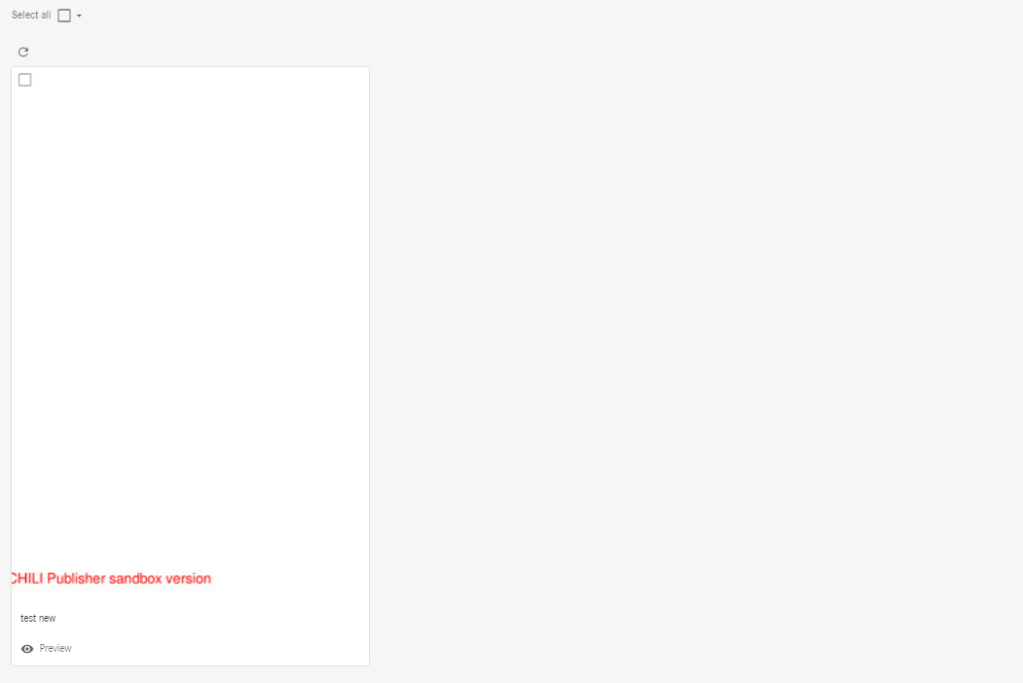
Additionally you can make further changes to the grid to show document types at a larger size for users. This is useful if they want to glance a document’s first page without previewing it fully. The below image is a pdf that is returned to the search component grid.

Users can not really see the document fully and need to click to preview. Following the same steps above you can follow the process to make documents more readable. This code will increase the grid size
.thumb-grid .thumbnail--wide .image-wrapper, .theme-repeater .thumbnail--wide .image-wrapper {
    padding-top: calc(150%);
}


 Tim's Blog
Leave a Reply